Vidu Q3
Short-form audio-video creation with focused control
- Up to 16 seconds
- Native audio
- Text to video
- Image to video
- Image references
- Camera control
Vidu Q3 and Seedance 2.5 both generate video and native audio, but they are built around different creative workflows. Compare video length, references, camera control, editing, consistency, and practical use cases before choosing your model.
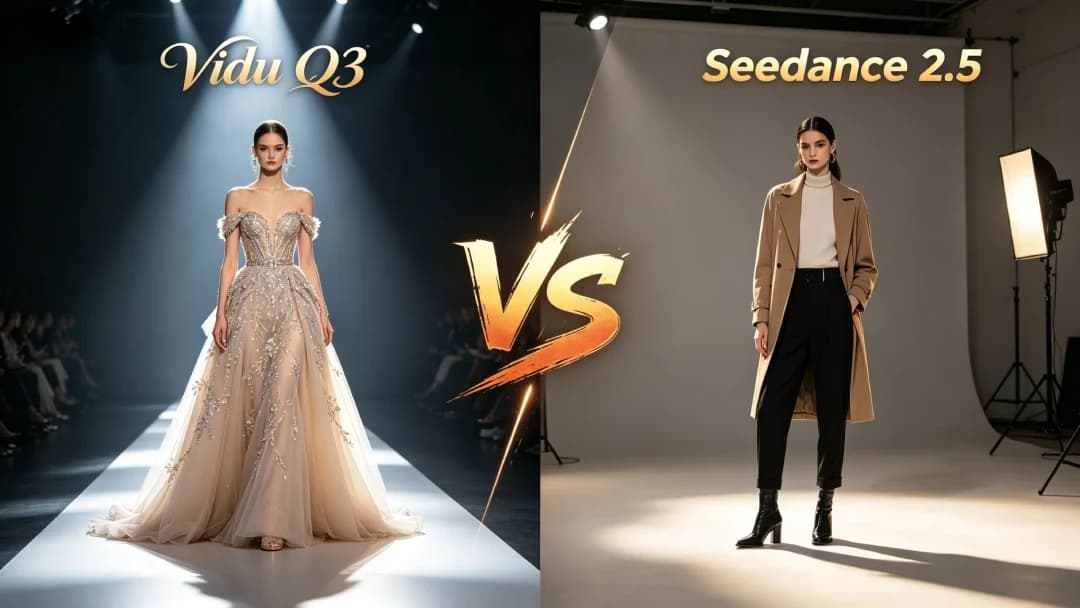
Choose Vidu Q3 if you primarily create short, polished clips and want a straightforward workflow for native audio, image-to-video generation, character references, camera direction, anime, ads, and social content.
Choose Seedance 2.5 if your priority is longer storytelling, large multimodal reference sets, video and audio references, timestamp-level changes, or more complex post-generation editing.
Neither model is automatically better for every project. The right choice depends less on a single benchmark score and more on how much duration, reference control, editing flexibility, and production complexity your workflow requires.
| Feature | Vidu Q3 | Seedance 2.5 |
|---|---|---|
| Maximum single generation | Up to 16 seconds | Up to 30 seconds |
| Native audio | Yes | Yes |
| Text to video | Yes | Yes |
| Image to video | Yes | Yes |
| Image references | Up to 7 in Q3 reference workflows | Up to 30 |
| Video references | Not a core Q3 reference input | Up to 10 |
| Audio references | Not a core Q3 reference input | Up to 10 |
| Multi-shot storytelling | Yes | Yes, with stronger emphasis on 30-second narratives |
| Camera control | Frame-level camera and pacing control | Camera direction plus timestamp-level control |
| Targeted editing | Primarily generation and regeneration workflow | Timestamp, reference, green-screen and camera-perspective editing |
| Native dialogue and sound | Yes | Yes |
| Best fit | Short-form creation and faster iteration | Longer, reference-heavy production workflows |
Short-form audio-video creation with focused control
Longer storytelling with multimodal references and editing
The biggest difference in the Vidu Q3 vs Seedance 2.5 comparison is not simply image quality. It is how each model approaches video production.
Vidu Q3 is designed around direct audio-video generation for clips up to 16 seconds. It combines visuals with dialogue, voiceover, sound effects, or music and provides detailed control over camera movement and pacing. Its reference workflow can also use image references to help maintain characters, objects, and visual identity across generated scenes.
Seedance 2.5 pushes further toward longer and more complex production. A single generation can reach 30 seconds, and the model can work with a much larger collection of image, video, and audio references. It also adds timestamp-level editing and more specialized controls for modifying an existing result.
That makes the choice fairly practical. Vidu Q3 is attractive when you want to move quickly from a prompt or image to a complete short clip. Seedance 2.5 becomes more compelling when a project needs longer narrative structure, extensive references, or precise revisions after generation.
Vidu Q3 is an audio-video generation model built for creating complete short clips with synchronized visuals and sound.
Instead of generating a silent video and treating sound as a separate production step, Vidu Q3 can create dialogue, voiceover, sound effects, music, and visuals in the same generation workflow. A single clip can run for up to 16 seconds.
The model also emphasizes camera direction and pacing. This is useful when a prompt needs more than a subject performing an action. Creators can think in terms of a shot: where the camera begins, how it moves, when the subject reacts, and how the scene should end.
Vidu Q3 can be used for text-to-video and image-to-video workflows, while reference-based generation can help preserve recurring subjects and visual elements. This makes it practical for short ads, anime sequences, cinematic concepts, social videos, product shots, dialogue scenes, and other projects where one polished clip matters more than a long timeline.
Seedance 2.5 is a joint audio-video generation model focused on longer storytelling, multimodal reference control, and targeted editing.
Its most obvious advantage is duration. Seedance 2.5 can generate up to 30 seconds in one pass, giving it more room to build a scene with multiple beats, camera changes, interactions, or story progression.
Its reference system is also much broader. A single workflow can use up to 30 images, 10 video clips, and 10 audio clips as reference material. Those references can help communicate subjects, environments, movement, camera language, sound, style, and other creative details that would be difficult to describe entirely with text.
Seedance 2.5 also moves beyond generation into editing. Timestamp-based instructions can target a particular part of a clip, while reference-based editing, camera-perspective changes, and green-screen workflows provide additional ways to revise existing material.
For projects that resemble a small production rather than a single generated shot, those capabilities can matter more than raw generation speed.
Duration is one of the clearest differences between the two models.
Vidu Q3 supports clips up to 16 seconds in a single generation. That is enough for many social ads, cinematic shots, product reveals, anime moments, dialogue exchanges, hooks, transitions, and short narrative scenes.
The 16-second limit also encourages a shot-focused workflow. Instead of asking the model to produce an entire sequence at once, creators can generate individual scenes and combine them during editing.
Seedance 2.5 can generate up to 30 seconds in one pass and is explicitly designed around longer-form storytelling. That additional time creates room for setup, development, transitions, multiple actions, and a more complete ending inside one generation.
For a five- to fifteen-second hero shot, the duration difference may not matter.
For a scene where a character enters a location, interacts with another person, moves through several camera positions, speaks, and reaches a narrative conclusion, Seedance 2.5 has a structural advantage.
Both models can turn written prompts into generated video, but good results still depend on how clearly the prompt communicates the scene.
For Vidu Q3 text to video, a useful prompt normally describes: Subject + Action + Environment + Camera + Lighting + Style + Sound
That structure works well for a short, directed shot.
Seedance 2.5 can handle the same type of prompt, but its longer duration gives creators more space to describe changes over time. A prompt can establish what happens during the beginning, middle, and end of a scene or specify actions during particular time ranges.
This makes Vidu Q3 vs Seedance 2.5 for text to video less about whether either model understands text and more about how much temporal complexity you need.
Use Vidu Q3 when the prompt represents one strong shot or a compact sequence.
Consider Seedance 2.5 when the prompt describes a longer narrative progression with several connected beats.
A chef stands behind a stainless-steel kitchen counter, places a finished pasta dish beneath a warm pendant light, slow camera push-in, shallow depth of field, realistic commercial lighting, subtle kitchen ambience and the sound of the plate touching the counter.
Image-to-video generation is useful when visual identity already exists.
Instead of asking a model to invent the character, product, composition, and style from text, the starting image establishes those details. The prompt can then focus on movement, camera behavior, expression, atmosphere, and sound.
Vidu Q3 image to video is well suited to turning a single visual into a short finished shot. A portrait can become a dialogue scene, an anime illustration can gain subtle character and camera movement, and a product photograph can become a cinematic reveal.
For this type of workflow, a concise prompt is often better than describing every detail already visible in the image.
Seedance 2.5 can also work from visual material, but the model becomes more differentiated when multiple references and more complex instructions are involved.
If you simply need to animate one strong source image, the practical gap between the models may be smaller than the feature lists suggest.
If the scene depends on several subjects, external motion references, audio references, or a longer sequence of events, Seedance 2.5 provides a broader reference framework.
Reference control is one of the most important areas in this comparison.
Vidu Q3 reference workflows can use up to seven images. These references can help establish recurring characters, products, objects, or visual elements so the model has a clearer identity to follow.
For many projects, seven strong reference images are already enough. A creator making a short character scene may only need front, side, and three-quarter views. A product advertiser may only need several clean product angles.
Seedance 2.5 is designed for much larger multimodal reference sets. It can accept up to 30 images, 10 videos, and 10 audio clips in a single generation workflow.
That difference matters when references perform different jobs.
One image might define a character. Another might define clothing. A video could communicate movement or camera pacing. An audio clip could guide sound. Additional visual references could establish the environment, lighting, props, or overall creative direction.
For simple subject consistency, Vidu Q3 can provide a more focused workflow.
For complex productions where many references must influence different parts of the result, Seedance 2.5 offers substantially more reference capacity.
Native audio is no longer a differentiator that belongs to only one side of this comparison. Both Vidu Q3 and Seedance 2.5 are built around joint audio-video creation.
Vidu Q3 can generate visuals together with dialogue, voiceover, sound effects, and music. That is particularly useful for short clips where timing needs to feel connected: a character speaks, an object hits the floor, a door closes, or environmental sound follows what happens in the frame.
Vidu Q3 also supports multi-speaker scenarios and can be useful for short conversations or narrative clips where speech is part of the generated scene.
Seedance 2.5 also creates audio and video together. Its additional advantage is that audio can participate in the broader multimodal reference workflow, giving creators another way to communicate the intended result.
If your goal is simply an AI video generator with native audio, both models belong on the shortlist.
The more useful question is whether your production needs a compact native-audio workflow or a larger multimodal system involving audio references and longer scenes.
Camera control is another area where both models are capable, but their workflows differ.
Vidu Q3 emphasizes precise camera movement and pacing during generation. This fits a director-style prompt where the creator specifies a push-in, tracking move, orbit, pullback, pan, tilt, or other clear camera behavior.
For a short generated shot, this is often exactly what is needed. You define the visual beat, generate it, review the result, and revise the prompt if necessary.
Seedance 2.5 adds a more extensive editing layer. It supports timestamp-level instructions that can target specific parts of a video. It also includes capabilities for changing camera perspective, reference-based editing, and green-screen-oriented workflows.
This means Seedance 2.5 is better suited to a situation where the first generation is only the beginning and the creator expects to modify selected moments without rebuilding the entire concept from scratch.
For straightforward generation and iteration, Vidu Q3 keeps the workflow relatively direct.
For granular revisions inside a longer clip, Seedance 2.5 provides more editing depth.
There is no useful universal answer based only on the model name.
Character consistency depends heavily on the quality of the references, the number of subjects, scene complexity, camera angle changes, motion, lighting, and how much the model is asked to change between shots.
Vidu Q3 provides image-reference workflows specifically useful for recurring subjects. If you are working with one or a small number of characters and can provide clear reference images, it can be a practical option for short character-driven scenes.
Seedance 2.5 has more reference capacity and can mix different media types. That becomes valuable when a character must remain recognizable while the production also follows external movement, camera, scene, or audio references.
For a simple recurring character, do not assume that more references automatically produce a better result. Clear, non-conflicting references often matter more.
For complex multi-subject storytelling, Seedance 2.5 gives creators more tools to communicate consistency requirements.
AI video models are increasingly useful during advertising production, but not every project needs the same workflow.
Vidu Q3 is a good fit for short product shots, social ads, campaign concepts, visual hooks, and individual hero scenes. A clean product reference combined with controlled camera movement can quickly turn a static asset into a moving concept.
Its shorter clip structure also matches how many ads are actually assembled: several focused shots are generated separately and combined during editing.
Seedance 2.5 is more attractive when the goal is to produce a longer ad sequence in fewer generations or when the campaign relies on extensive product, environment, motion, video, and audio references.
Its targeted editing capabilities may also be valuable when an otherwise successful sequence needs a change in one part of the clip.
For rapid creative testing and individual ad shots, Vidu Q3 is often the simpler workflow.
For reference-heavy commercial production and longer story-based ads, Seedance 2.5 offers more production controls.
Both models can fit anime and stylized video workflows.
Vidu has a strong history of animation-oriented workflows, and Vidu Q3 works well when the goal is to animate an existing illustration, create a short character moment, add dialogue, or produce a polished anime-style shot.
A common workflow is to begin with a strong character image and keep the motion intentional: hair movement, blinking, facial expression, clothing motion, a slow camera push, or one clearly described action.
Seedance 2.5 becomes particularly useful for more ambitious anime sequences that involve longer narrative development, multiple scenes, more references, or specific motion and camera inspiration.
For a short anime clip generated from one image, Vidu Q3 is a practical choice.
For a longer, reference-heavy anime sequence with more production-level direction, Seedance 2.5 may be the better fit.
There is no single winner for every AI video workflow.
For many creators, the decision comes down to production complexity.
Vidu Q3 treats the generated shot as the center of the workflow.
Seedance 2.5 moves closer to treating the generation itself as a small editable production.
Vidu Q3 and Seedance 2.5 represent two slightly different directions in modern AI video generation.
Vidu Q3 focuses on creating complete short-form audio-video shots with camera control, native sound, image-based references, and a workflow that works well for fast creative iteration. It is a practical choice for creators producing ads, anime, social videos, product shots, dialogue scenes, and cinematic clips that do not need a 30-second generation window.
Seedance 2.5 goes further in duration and multimodal production control. Its 30-second generation length, extensive image, video, and audio references, and targeted editing capabilities make it especially attractive for more complicated narratives and professional workflows.
So, which is better: Vidu Q3 or Seedance 2.5?
For short-form generation, focused reference workflows, and fast individual-shot creation, choose Vidu Q3.
For longer storytelling, extensive multimodal references, and detailed post-generation editing, Seedance 2.5 has the stronger feature set.
The best model is ultimately the one that removes the most friction from your specific production workflow.
It depends on the workflow. Vidu Q3 is a strong fit for short-form clips, native audio, image-based references, ads, anime, and individual generated shots. Seedance 2.5 is better suited to longer 30-second storytelling, large multimodal reference sets, and more advanced targeted editing.
The clearest differences are duration, reference capacity, and editing depth. Vidu Q3 generates up to 16 seconds per clip, while Seedance 2.5 can generate up to 30 seconds. Seedance 2.5 also supports substantially more image, video, and audio references and provides timestamp-based editing controls.
Vidu Q3 is well suited to focused short shots and compact sequences. Seedance 2.5 has an advantage when a text prompt needs to describe a longer story with several connected actions or time-specific changes.
For animating one strong source image into a short clip, Vidu Q3 provides a straightforward image-to-video workflow. Seedance 2.5 becomes more useful when the production involves multiple reference assets or a more complex sequence.
Yes. Vidu Q3 can generate video together with audio elements such as dialogue, voiceover, sound effects, and music.
Yes. Seedance 2.5 uses joint audio-video generation and can create synchronized audiovisual content. It can also accept audio clips as part of its multimodal reference workflow.
Vidu Q3 supports up to 16 seconds in a single generation. Longer projects can be assembled from multiple generated clips.
Seedance 2.5 supports up to 30 seconds in a single generation and is designed for longer narrative sequences. It also supports extension workflows for building longer content.
Seedance 2.5 supports the larger multimodal reference set, with up to 30 images, 10 video clips, and 10 audio clips in a single workflow. Vidu Q3 reference workflows can use up to seven images.
Both can support character-driven workflows. Vidu Q3 is practical for focused image-reference generation, while Seedance 2.5 provides more reference capacity for complex scenes involving multiple subjects and additional visual, motion, or audio guidance.
Vidu Q3 is a strong option for short anime scenes and animating existing illustrations. Seedance 2.5 may be more appropriate when an anime project requires longer storytelling, more references, or complex editing.
Vidu Q3 is well suited to generating individual product shots, hooks, social ads, and campaign concepts. Seedance 2.5 has advantages for longer narrative ads and production workflows that require many references or targeted changes within a generated clip.
Yes. Seedance 2.5 is a strong alternative when you need longer generation, multimodal references, or more advanced editing. However, creators focused on shorter individual shots may prefer the simpler Vidu Q3 workflow.
If your workflow is built around short cinematic shots, image animation, native audio, anime, product visuals, ads, or social content, start with Vidu Q3 and see how it fits your production process.
Create a first version, review the motion, camera direction, consistency, and sound, then refine the prompt until the shot matches your idea.
Editorial update: . This date records changes to the page information. Model features and availability can change; use the linked official sources to confirm specifications before making a purchase or production decision.
Vidu Q3 vs Seedance 2.5 for Social Media
For TikTok, Instagram Reels, YouTube Shorts, and similar content, longer generation is not automatically better.
Many successful social videos are assembled from several short visual beats rather than one continuous 30-second generation. In that workflow, Vidu Q3's 16-second maximum is often sufficient for hooks, reaction scenes, B-roll, transitions, product moments, and short dialogue.
Seedance 2.5 becomes useful when the creator wants a longer sequence to remain connected inside one generation.
The decision therefore depends on editing style.
If you prefer generating multiple short clips and assembling them yourself, Vidu Q3 is a strong fit.
If you want the AI model to handle more of the story progression within a single generation, Seedance 2.5 has the duration advantage.