Vidu Q3 AI Video Generator
Create Cinematic Videos with Native Audio
Transform text and images into cinematic scenes, eye-catching commercials, and anime-style videos with Vidu Q3. Create stunning 1080p videos up to 16 seconds long with synchronized native audio, realistic motion, and precise camera control.
How the Vidu Q3 AI Video Generator Works
Create an AI video with ViduQ3 in three simple steps.
Add Your Prompt or Image
Enter a text prompt, upload an image or visual reference, and describe the scene, subject, style, and motion you want.
Prompt formula
Subject · Action · Camera Movement · Lighting · Visual Style · Audio
Explore Vidu Q3 Prompt Templates →Choose Your Settings
Select a Vidu AI Q3 model and adjust available options such as duration, resolution, aspect ratio, and native audio.
Generate and Refine
Generate with the Vidu Q3 AI Video Generator, preview the result, and refine your prompt or settings until you're ready to download.
What Is Vidu Q3 AI Video Generator?
The Vidu Q3 AI Video Generator turns text, images, and visual references into short AI videos with cinematic motion, consistent visuals, and synchronized audio where supported.
Use it for social content, product videos, anime-style scenes, ads, and short stories.
Create Videos from Text Prompts
Turn a simple prompt into a short AI video with Vidu AI Q3. Describe the scene, subject, style, and motion to create anime clips, cinematic scenes, social content, and ad concepts.
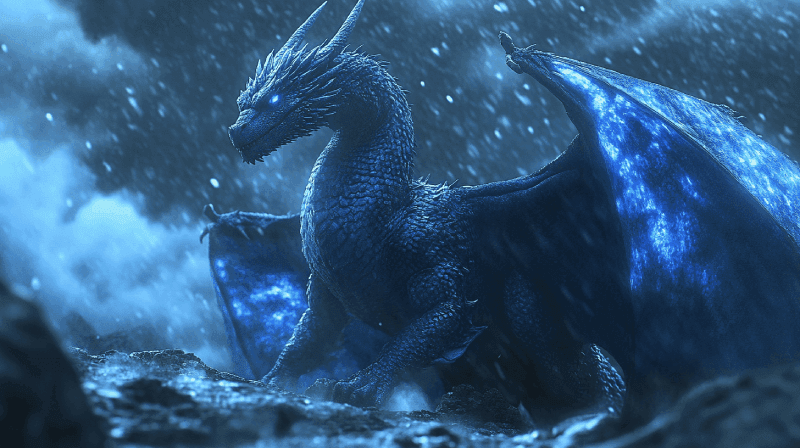
Turn Images into Short AI Videos
Animate artwork, product photos, and character images with ViduQ3. Add motion, camera direction, and visual continuity to turn static references into short AI-generated videos.
Explore Vidu Q3 AI Video Workflows
Create with Vidu AI Q3 across text, images, native audio, cinematic styles, advertising, and character-driven storytelling. Choose the workflow that matches what you want to make.
Text to Video
Turn text prompts into short AI videos for cinematic scenes, social content, creative concepts, and visual storytelling.
Image to Video
Animate product photos, artwork, character images, and visual references into dynamic AI-generated videos.
Native Audio
Generate video with synchronized dialogue, sound effects, and music in the same ViduQ3 workflow where supported.
Anime & Cinematic Video
Control visual style, camera movement, character consistency, atmosphere, and motion for more expressive AI video results.
AI Ad Generator
Create short product ads and commercial creatives with Vidu Q3 Ad, using product references, smart scene cuts, and ad-focused pacing.
AI Drama Generator
Create dialogue-driven scenes and character stories with Vidu Q3 Drama, with character interaction, cinematic direction, and synchronized audio-video generation.
Vidu Q3 Core Capabilities
ViduQ3 combines flexible inputs, visual consistency, and creative control for short-form AI video creation.
Text & Image Workflows
Start from a text prompt, image, or visual reference and build the video around the source material that best fits your idea.
- Turning prompts into video scenes
- Animating product photos and artwork
- Creating videos from visual references
Consistent Motion & Visuals
Keep subjects, movement, and scene details more stable as the video develops for cleaner, more coherent results.
- Smoother character movement
- More consistent subjects and scenes
- Cleaner motion across frames
Creative Style Control
Guide visual style, camera direction, motion, and atmosphere through prompts and references to create everything from anime-inspired clips to cinematic and commercial content.
- Anime-style videos
- Cinematic short scenes
- Product and ad creatives
- Social media content
Why Choose Vidu Q3?
Vidu Q3 combines flexible video generation, synchronized audio, cinematic control, and up to 1080p output for short-form creative workflows. See how it compares with other models in our AI Video Comparison Hub.
Native Audio & Video
Generate visuals and audio together in one workflow, including dialogue and sound effects where supported. This helps keep speech, action, and scene timing more closely connected.
Up to 16-Second Generation
Create clips up to 16 seconds on supported Vidu Q3 models, giving you more room for camera movement, character actions, dialogue, and complete short-form scenes.
Creative & Camera Control
Guide camera direction, pacing, visual style, and scene progression through your prompt and references. Use Vidu AI Q3 for cinematic scenes, anime-inspired content, product videos, ads, and storytelling.
Up to 1080p Output
Generate ViduQ3 videos at resolutions up to 1080p on supported workflows for cleaner detail and more polished final output.
Who Is Vidu Q3 For?
Vidu Q3 supports creators, filmmakers, marketers, and artists across short-form video, storytelling, advertising, and stylized animation workflows.
Social Media & YouTube Creators
Turn ideas into short-form videos for TikTok, YouTube, Reels, branded content, and creative tests using simple prompts and visual references.
Filmmakers & Story Creators
Use ViduQ3 to explore scenes, character interactions, camera ideas, and short narrative concepts before moving into full production.
Brands & Ad Teams
Create product ads, campaign concepts, launch videos, and commercial creatives from product or brand references with Vidu Q3 Ad.
Anime & 2D Artists
Bring characters and artwork into motion for anime-style clips, concept scenes, visual experiments, and short animated stories.
Simple Credit-Based Pricing
Choose a one-time credit bundle and create Vidu Q3 and Q4 AI videos at your own pace.
Starter Plan
Best for testing Vidu AI and creating a few short videos.
~20 clips (Q4, 540p, 5s each)
Creator Plan
Best for regular creators who need more credits for ongoing video production.
~55 clips (Q4, 540p, 5s each)
Pro Plan
Best for teams and studios producing videos at higher volume.
~125 clips (Q4, 540p, 5s each)
For more pricing details, see our Pricing page.
Frequently Asked Questions
What is Vidu Q3?
Vidu Q3 is an AI video generation model that transforms text prompts, images, and visual references into short videos. It supports cinematic storytelling, anime animation, product showcases, advertisements, and character-driven content.
How does text-to-video generation work?
Simply describe your scene, including the subject, action, camera movement, lighting, and visual style. The AI transforms your prompt into a video based on your instructions. For a dedicated prompt-based workflow, explore our text-to-video generator.
Can Vidu Q3 turn images into videos?
Yes. Upload a product photo, illustration, or character image, and the AI will animate it into a video while preserving key visual details, composition, and the original image's appearance.
Does it support native audio generation?
Yes. Supported workflows can generate synchronized dialogue, sound effects, and other audio elements alongside video. Audio capabilities may vary depending on the selected model and generation settings.
Can I create anime-style videos?
Absolutely. Generate anime-inspired scenes, animated characters, and stylized motion using text prompts or reference images. For more specialized anime creation, explore our dedicated AI Anime Video Generator.
How long can generated videos be?
Supported models can produce video clips up to 16 seconds long. Available durations depend on your selected workflow, making them suitable for social media, short ads, cinematic moments, and creative experiments.
What video resolution is supported?
Vidu Q3 supports video output up to 1080p on compatible models and workflows. Actual resolution options depend on the generation mode and settings you select.
Can I use AI-generated videos commercially?
Yes. Paid access on this site includes commercial usage rights, subject to our terms of service. You must ensure your uploaded materials and generated videos respect applicable copyright, trademark, and other third-party rights.
Is Vidu Q3 free to try?
Yes. You can start creating AI videos with starter credits before purchasing additional generation credits. Visit our pricing page to explore available plans and credit options.
Create Your First AI Video with Vidu Q3
Turn a text prompt or image into a short AI video in minutes. Start with free credits—no monthly subscription required.
Create a Video for Free