Vidu Q3 Pro Studio Features That Actually Improve AI Video Results

Combined video, sound, and camera control.
No need for external sound or editing tools.
Stable characters and consistent branding.
Let’s be honest: most AI video tools feel like black boxes. You throw some text into a bar, cross your fingers, and hope the result doesn't look like a surreal nightmare. When we first started testing Vidu Q3 Pro, we were looking for something different—a tool that felt less like a toy and more like a studio.
By 2026, the novelty of "AI video" has worn off. We’re now in the era of Creative Intent. It’s no longer enough to just "generate" a clip; you need to direct it. Vidu Q3 Pro Studio has quietly evolved into a powerhouse by combining lighting, motion, and synchronized sound into one singular, unified workflow.
In this guide, I’m skipping the technical fluff. I want to show you the features that actually change the way you produce content, making your workflow faster and your output far more professional.
The 'Blank Page' Eraser: Text to Video
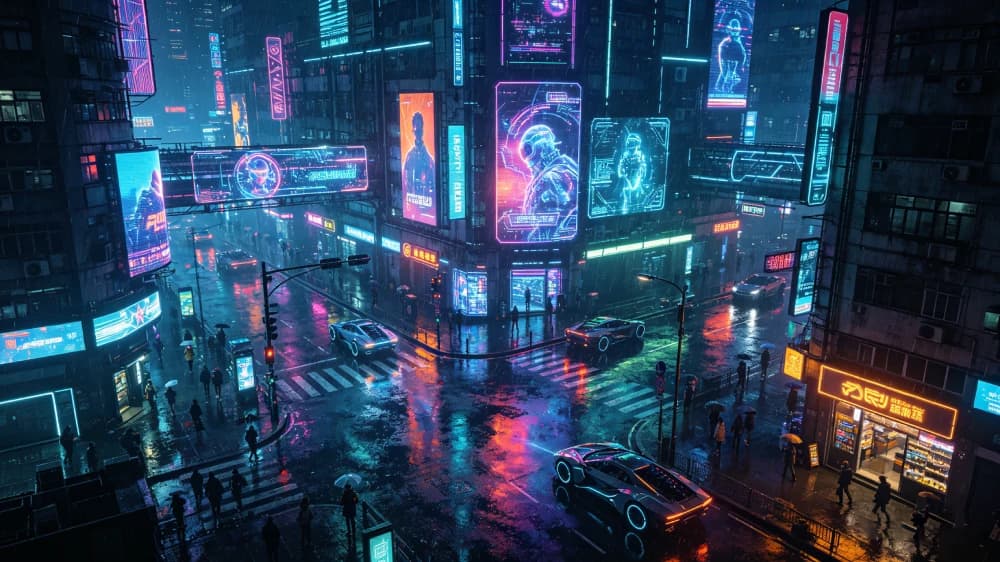
Text-to-video is often misunderstood. It’s not just a "magic button"; it’s your rapid-prototyping sketchpad. When you have a concept in your head but no footage, this is how you get it out in seconds. The trick in 2026 is moving beyond simple descriptions.
The "Director" Prompt Strategy
Instead of just saying "a city," describe the lighting and the vibe. This gives the AI the constraints it needs to actually deliver what you’re imagining.
Best Use Cases:
- Storyboarding
- Social Media Hooks
- Concept Validation
Creative Control: Image to Video
If Text-to-Video is for ideas, Image-to-Video is for Precision. If you have a specific character, a product photo, or a brand logo, you cannot afford the randomness of text input. You need the scene to respect your visual anchors.
By uploading a high-quality base image, you’re telling Vidu: "Keep this, but make it move." It’s the difference between a random generation and a controlled animation.
Pro Tip:
- Product demos
- Branding consistency
- Portrait animation
Native Audio: The 'One-Pass' Secret
Adding sound in post-production is a pain. Usually, you have to hunt for a royalty-free track, download it, and sync it manually. Vidu Q3 Pro’s built-in audio is a game changer because it’s context-aware.
Sync Your Senses
When the video and audio are generated together, the "feeling" of the clip is much more cohesive. It’s optimized for direct consumption—perfect for immediate social sharing.
Visual Intent: Camera Motion
Static AI videos look cheap. Professional videos move. In 2026, the mark of a pro AI creator is how they handle the "virtual camera." Instead of letting the AI guess, you should use cinematic language to drive the movement.
Adding "Dolly Zoom" to your prompt can turn a boring portrait into a high-drama cinematic moment instantly.
The Narrative Engine: Multi-Shot Sequences
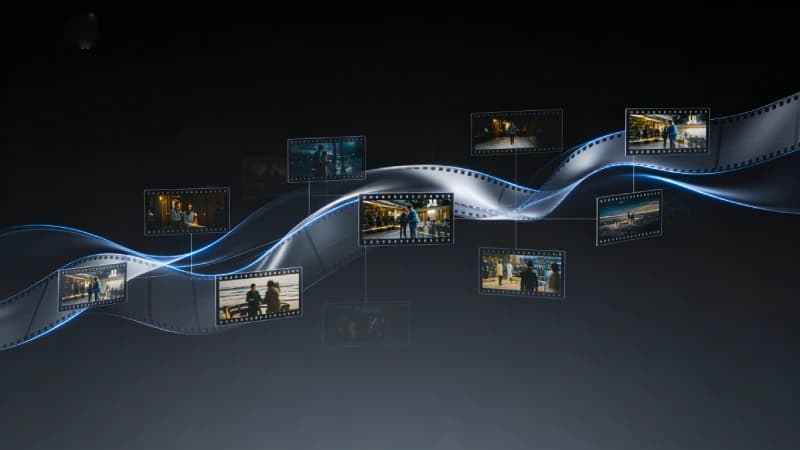
Most people generate one clip and stop. But real stories need transitions. Vidu's ability to sequence multiple shots allows you to build a narrative without leaving the studio. It’s no longer about a single "moment"—it's about the flow.
Why it matters:
- Eliminate jump cuts
- Maintain visual continuity across scenes
- Build suspense with angle switches
- Faster ad production
Branding with Style Control
Don't just switch between "Realistic" and "Anime." Think of Style Control as your Grading Booth. It ensures that if you're making a 1970s vintage-style commercial, every frame feels like it came from the same film stock.
Directorial Tip: If you are building a series, stick to one core style keyword (e.g., "Neo-Noir") across all your prompts to keep your brand identity solid.
The High-Speed Iteration Loop
Let’s be real: perfect results rarely happen on the first prompt. The pro workflow is about Iteration. Vidu Q3 Pro is built for speed, allowing you to flip through variations like a deck of cards until you find the "hero" clip.
The Social-First Philosophy
In 2026, if it’s not vertical, it’s not happening. Vidu was built with TikTok, Reels, and Shorts in mind. The 9:16 native support isn't just about cropping; it's about the composition of the AI generation itself.
Optimized for Viral Reach
Full vertical frame utilization without losing quality.
Visuals are centered and contrast-heavy for mobile small screens.
Practical Tips
Be specific
Avoid vague prompts. Describe scene, lighting, and action clearly.
Use camera language
Even simple terms like 'wide shot' or 'close-up' improve results.
Add sound intentionally
Don't leave audio empty if it matters for your video output.
Use image input when needed
Especially effective for products or maintaining character consistency.
Common Questions
Final Thoughts
The best way to learn Vidu Q3 Pro is to try different inputs and see how the output changes. Start simple, adjust your prompts, and focus on clarity. Over time, you’ll get more consistent and better-looking results.
Follow the step-by-step Vidu Q3 Pro tutorial, then choose a dedicated text-to-video or image-to-video workflow for your next project.